


Introduction
If you’ve ever worked in industrial supply, distribution, or B2B sales, you know the drill. A customer needs pricing on 200 line items by Friday. Half of them were quoted three months ago, somewhere. The other half need to go out to five different suppliers, and you’re tracking all of it across email threads, a shared spreadsheet, and whatever sticky notes survived the week. Someone forgets to follow up with a supplier. A price expires before the quote goes out. The customer calls asking where things stand, and nobody has a clean answer.
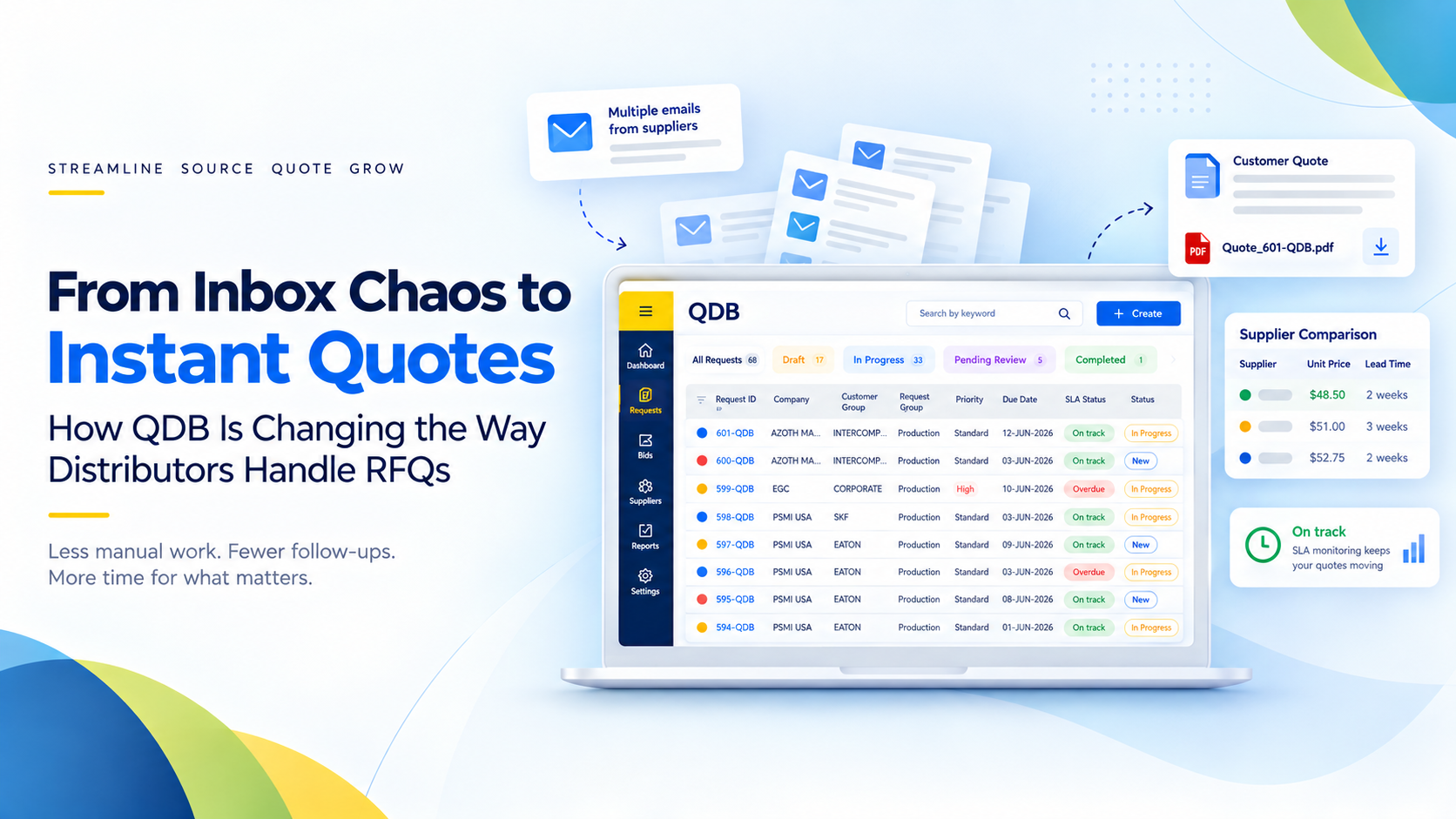
This is the exact problem we set out to solve with QDB — a Quote Database platform built to take the entire request-for-quote lifecycle, from intake to delivery, and put it on rails.
We’ve been building and refining QDB as an end-to-end RFQ management system, and along the way we’ve learned a lot about what actually slows quoting teams down, and what it takes to fix it. Here’s a look inside the platform.
What Is an RFQ?
A Request for Quotation (RFQ) is a formal request from a customer or buyer asking a supplier or distributor to provide pricing for specific products or services. An RFQ typically includes details such as quantities, product specifications, delivery requirements, commercial terms, and the expected response deadline.
For a distributor, receiving an RFQ is only the beginning of the process. The team may need to verify the requested items, check existing pricing, contact suppliers for updated costs, compare responses, calculate margins, obtain approvals, and finally send a customer-ready quote.
For example, a customer might send a spreadsheet containing 500 product lines and ask for pricing within three business days. The distributor may need to source those items from several suppliers, determine which existing prices can be reused, account for quantity breaks and freight, and ensure every line is correctly priced before the quote reaches the customer.
This is where RFQ management becomes important. It is not simply about creating a quote. It is about managing the complete workflow from request intake and sourcing to pricing, approval, submission, and follow-up.
The Challenge
Quoting sounds simple on paper: a customer asks for a price, you find one, you send it back. In practice, at any real scale, it breaks down in the same handful of ways — and most quoting teams have simply learned to work around the breakage rather than fix it.
1. Intake is a bottleneck before the work even starts
Requests don’t arrive in one tidy format. Some are a handful of items typed into an email. Others land as a spreadsheet with hundreds — sometimes thousands — of lines, and someone still has to get that into whatever system the team actually works from. More often than not, that means manual retyping, copy-pasting between tabs, or a junior team member spending half a day just transcribing a request before any actual quoting can begin. The bigger the opportunity, the more painful the intake, which is backwards, because large requests are exactly the ones a business can least afford to be slow on.
2. Nobody has a reliable memory of what’s already been priced
This is the quiet one, and it’s usually the most expensive. Sales and quoting teams routinely re-source items that were priced last week, last month, or on a contract that’s still active because there’s no fast, reliable way to check before starting from scratch. Every re-quote means a new RFQ, a new wait on a supplier, and a customer wondering why a “quick” request is taking days. Multiply that across a team of quoting specialists handling dozens of requests a week, and it’s not a minor inefficiency — it’s hours of duplicated research, every week, compounding indefinitely because nothing about the process improves it over time.
3. Supplier communication lives in email, and email doesn’t scale
An RFQ goes out to three or five suppliers. Responses trickle back over hours or days, each in its own email, often in a different format, with pricing buried in the body text or an attached PDF. By the time it’s time to compare, someone is manually transcribing five suppliers’ numbers into a spreadsheet they built themselves margins, freight charges, quantity breaks, and lead times all copied over by hand, with plenty of room for a transposition error. And if a supplier goes quiet? There’s no system nudge. A person has to remember to notice, then remember to follow up, then remember to follow up again.
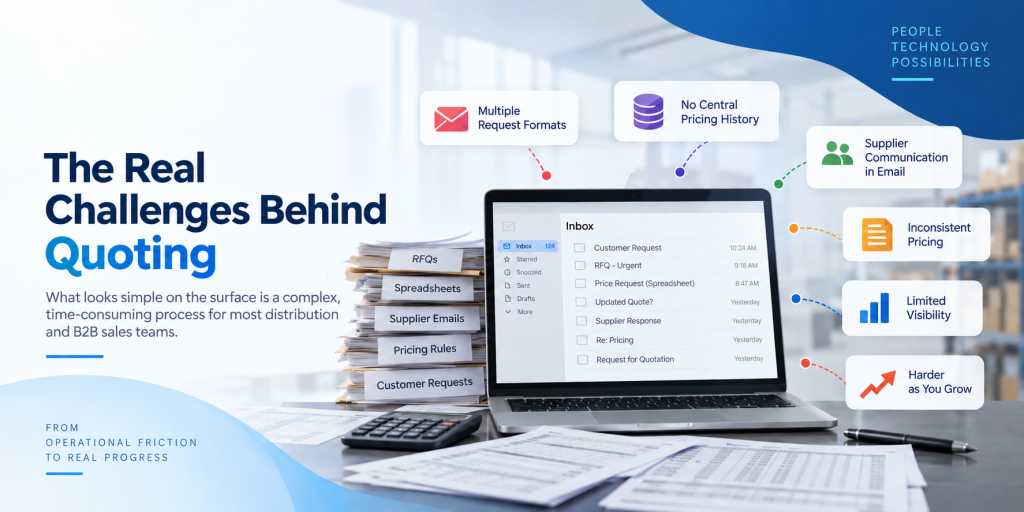
4. Pricing consistency depends entirely on individual discipline
Every customer can carry a different margin agreement. Every item can have a different buy-side and sell-side unit of measure. Tax rules, tariffs, and rebates vary by supplier and by customer. None of that is inherently hard but doing it correctly, by hand, for every single line item on every single quote, for every specialist on the team, is where mistakes creep in. Get it wrong and the business either quietly eats margin on every order going forward, or overcharges a customer it was trying to keep. Worse, when pricing lives in individual spreadsheets rather than a shared system, there’s no consistent record of why a price was what it was which becomes a real problem the first time a customer disputes an invoice.
5. Leadership finds out about problems last, not first
Without a shared system, a department head’s visibility into the team’s workload is whatever people happen to mention in a status meeting. There’s no real-time way to see which requests are approaching their deadline, which suppliers are dragging their feet, or which team member is quietly buried while another has capacity to spare. The result is a management style that’s fundamentally reactive: a department head usually finds out a request is late when the customer escalates not before, when there was still time to do something about it.
6. None of this gets easier as the business grows
Every one of these problems scales in the wrong direction. More customers means more re-quoting risk. More suppliers means more email threads to track. More requests means more chances for a pricing rule to be applied inconsistently. A process built on spreadsheets and inboxes doesn’t get more efficient with volume; it gets more fragile. Teams end up adding headcount just to keep pace with friction that shouldn’t exist in the first place.
None of these problems are exotic, and none of them are anyone’s fault individually, they’re the predictable result of running a high-stakes, detail-heavy process on tools that were never built for it. QDB was designed specifically to remove that friction, point by point.
The Solution
QDB replaces the spreadsheet-and-email approach with a single connected workflow, accessible from a browser, that carries a request through every stage — intake, verification, sourcing, quoting, approval, and delivery — with visibility at each step.
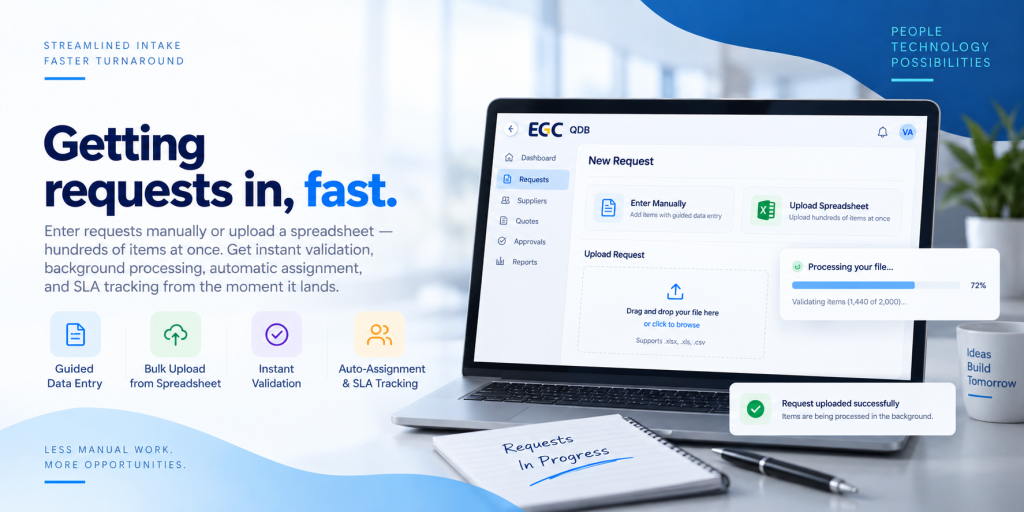
1. Getting requests in, fast
Requests can be entered manually with guided data entry, or uploaded in bulk directly from a spreadsheet hundreds of items at once, with inline error correction so nothing silently fails. Small files validate almost instantly; larger ones process in the background with a live progress indicator, so the person who uploaded a 2,000-line file isn’t stuck staring at a spinner.
Once a request is in, it’s automatically assigned based on configurable rules, and an SLA due date is calculated the moment it lands — no one has to remember to set a deadline.
2. Killing duplicate work before it starts
This is, honestly, the feature we’re proudest of. Before anyone reaches out to a supplier, QDB checks every item against multiple existing data sources — recent internal quotes, contract pricing, historical price lists, live product and pricing records. If a recent, valid quote already exists, it surfaces immediately and can be reused with a single click. No RFQ, no waiting on a supplier, no redundant research.
For items with no match, the system automatically triggers creation of a new item record upstream — so the quoting specialist doesn’t have to chase item setup as a separate task.
3. Sourcing without the spreadsheet juggling
QDB recommends preferred suppliers per item, supports both single- and multi-sourcing, and lets specialists assign suppliers in bulk across many items at once rather than one at a time. RFQs go out through configurable email templates with a clean attachment listing everything a supplier needs — items, quantities, units, delivery requirements.
From there, every outbound message is logged automatically, response status is tracked per supplier (Sent → Awaiting Response → Received / No Quote / Past Due), and non-responsive suppliers get automatic reminder emails. Nobody has to keep a mental list of who still owes a response.
4. Turning supplier responses into a customer-ready quote
Once quotes come back, specialists get a side-by-side comparison view across every supplier — pricing, tariffs, rebates, quantity breaks, and additional charges like freight all captured in a structured way rather than buried in email bodies. Sell prices are calculated automatically using configurable margin or markup rules per customer, with unit-of-measure conversion handled transparently between what’s bought and what’s sold. Manual overrides are still supported, with the resulting margin back-calculated automatically so nothing goes out the door unpriced-checked.
High-value quotes route through a multi-level approval workflow before they ever reach a customer, and the finished quote is generated in two formats — a formatted spreadsheet and a print-ready PDF — delivered by email or through a customer portal, and stored for audit purposes.
5. A real-time console for team leads
Department heads get a dashboard built specifically for managing a team, not just a single request: workload across all open items, real-time SLA-breach detection, supplier performance visibility, bulk follow-up actions, and — for anyone overseeing multiple business entities — cross-company visibility in one place. There’s even a simple “someone’s already working this” indicator on shared requests, so two people don’t duplicate effort without the system needing to lock anything.
6. Built to scale up, not just out
Underneath all of this sits infrastructure most users will never notice, which is exactly the point — corporate single sign-on, role-based access across four distinct user roles, real-time notifications, background processing for heavy operations, and a full audit log for every request and every RFQ communication. It’s the kind of plumbing that makes a system trustworthy enough to run a business on.
Looking ahead, the roadmap includes a dedicated Bids module for splitting massive, multi-thousand-line RFQs across a team for parallel processing, a supplier self-service portal, a customer-facing portal, and a full reporting suite covering turnaround time, supplier performance, workload, and SLA compliance.
The value here isn’t abstract — it shows up in the numbers a quoting team actually cares about.
Recommended Blog: When Reputation Becomes Data: The Engineering Behind TrustVerifi
Business Impact
The value here isn’t abstract — it shows up in the numbers a quoting team actually cares about.
- Faster turnaround. Duplicate detection alone removes a huge chunk of redundant sourcing work, and automation compresses the rest of the cycle. Faster quotes win more deals, full stop.
- Fewer pricing mistakes. Rules-based margin calculation takes manual arithmetic — and manual error — out of the equation, so every customer is priced consistently against their agreement.
- One platform, any volume. A three-item quick-turn request and a five-hundred-line project run through the exact same system, with the exact same quality controls. Nobody has to switch tools when a request gets big.
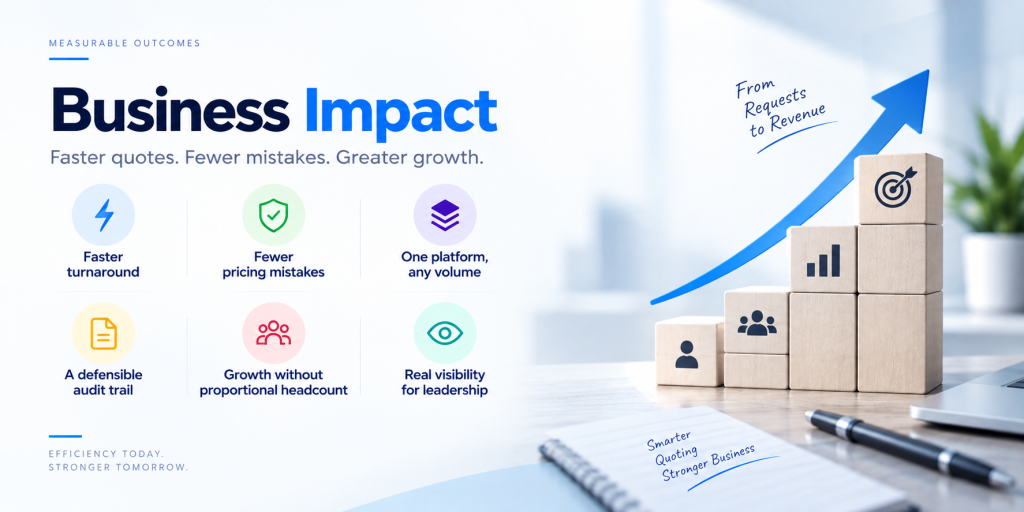
- A defensible audit trail. Every action, every email, every price change is logged. When a customer questions a number six months later, the answer is a lookup, not a guessing game.
- Growth without proportional headcount. Automation and duplicate-detection throughput mean a team can absorb more request volume without adding people at the same rate.
- Real visibility for leadership. Department heads see SLA status across the whole team in real time, instead of finding out something’s late when the customer calls.
The Road Ahead
QDB is designed to evolve alongside the way distributors manage increasingly complex quoting operations. As RFQ volumes grow and quoting teams work across more suppliers, customers, and business entities, the need for a connected and increasingly automated workflow will only become more important.
The next stage of QDB’s development focuses on extending the platform beyond core RFQ management. A dedicated Bids module will help teams divide large, multi-thousand-line RFQs across multiple specialists, allowing work to happen in parallel rather than sequentially. This can make large quoting projects easier to distribute and manage while giving teams greater visibility into progress.
A supplier self-service portal is also planned to reduce dependency on email-based communication. Instead of sending RFQs back and forth through individual inboxes, suppliers will have a dedicated environment to view requests, submit responses, and provide the required information. This can create a more structured connection between distributors and their supplier network.
On the customer side, a customer-facing portal will provide another layer of visibility into the quoting process. Customers could have a centralized way to access quotes and relevant information rather than relying entirely on email exchanges.
The roadmap also includes a broader reporting and analytics layer, covering areas such as turnaround time, supplier performance, workload, and SLA compliance. This can help businesses move beyond simply processing RFQs to understanding where the process is slowing down, which suppliers consistently respond on time, and where teams are spending the most effort.
Over time, the larger opportunity is to turn RFQ management from a collection of individual tasks into an increasingly connected operating system for quoting. Instead of simply helping teams process requests faster, QDB can provide the data, workflows, and visibility needed to continuously improve how distributors source, price, approve, and deliver quotes.
The future of RFQ management will not be defined by automation alone. It will be about connecting people, suppliers, data, approvals, and customer interactions into one workflow — giving quoting teams the speed to respond quickly while maintaining the accuracy and control that complex B2B transactions require.
Conclusion
Quoting is one of those processes that quietly determines whether a business wins deals or loses them to a faster competitor. QDB exists because we kept seeing the same pattern talented teams doing genuinely skilled work, slowed down by tools that were never designed for the volume or complexity they were handling.
Building QDB has reinforced something we believe across all our engineering work at Aykan: the biggest wins often aren’t flashy features they’re removing the friction nobody’s supposed to notice, like a duplicate check that saves an hour, or a dashboard that catches a late request before the customer does. That’s the kind of platform thinking we bring to every project, and QDB is a strong example of it in action.
FAQ
What kind of business is QDB built for?
Any organization that runs a high volume of request-for-quote processing — particularly distributors, industrial suppliers, and B2B sellers who source from multiple vendors and need consistent, auditable pricing at scale.
How does QDB handle very large requests?
Large spreadsheets are processed asynchronously in the background, with live progress tracking, and the upcoming Bids module will let large, multi-thousand-line requests be split across a team for parallel processing.
Does QDB replace supplier communication entirely?
Not entirely today — RFQs are still sent to suppliers, but the process is automated, logged, and tracked, removing the manual chasing. A supplier self-service portal is on the roadmap to make this fully connected.
How does QDB prevent pricing errors?
Sell prices are calculated automatically using configurable margin and markup rules per customer, with unit-of-measure conversion and additional charges factored in — removing the manual spreadsheet math where errors typically creep in.
Is QDB only for the quoting team, or does leadership get value from it too?
Both. Quoting specialists get a faster day-to-day workflow, while department heads and administrators get real-time visibility into SLA status, team workload, and supplier performance without needing to ask for updates.