

Introduction
Picture the head of sales at a mid-sized manufacturer. Before a Monday review she types one question into the company’s AI assistant:
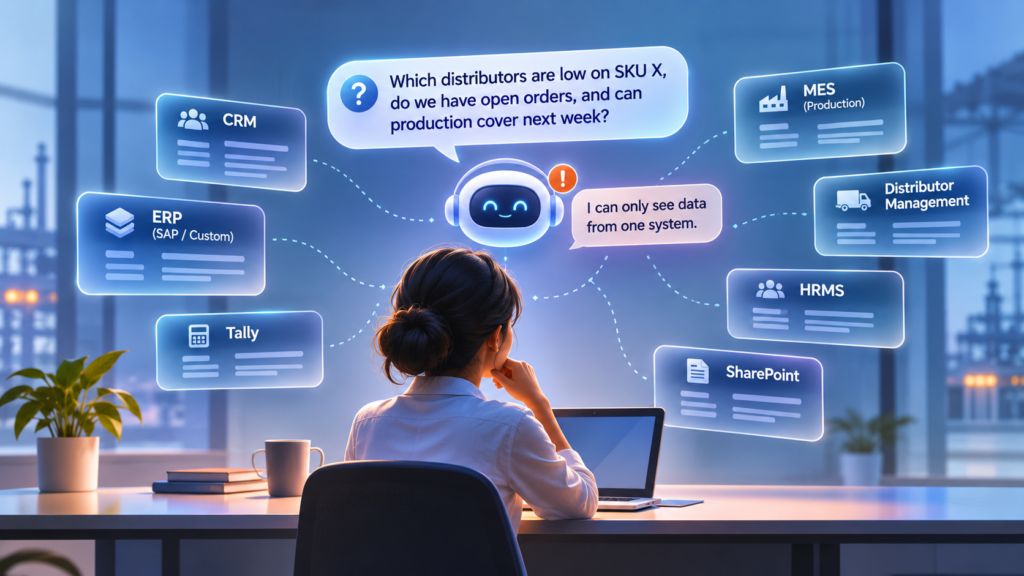
“Which distributors are low on SKU X, do we have open orders against it, and does production have capacity next week?”
The assistant, built into the ERP, handles the open-orders part well. For the rest, it admits it can’t see distributor stock or the production schedule.
So she opens the CRM, then the distributor management system, then pings someone in production. One question, four systems, and she assembles the answer by hand. (This scenario is illustrative, but it will sound familiar to anyone who runs sales, operations or finance.)
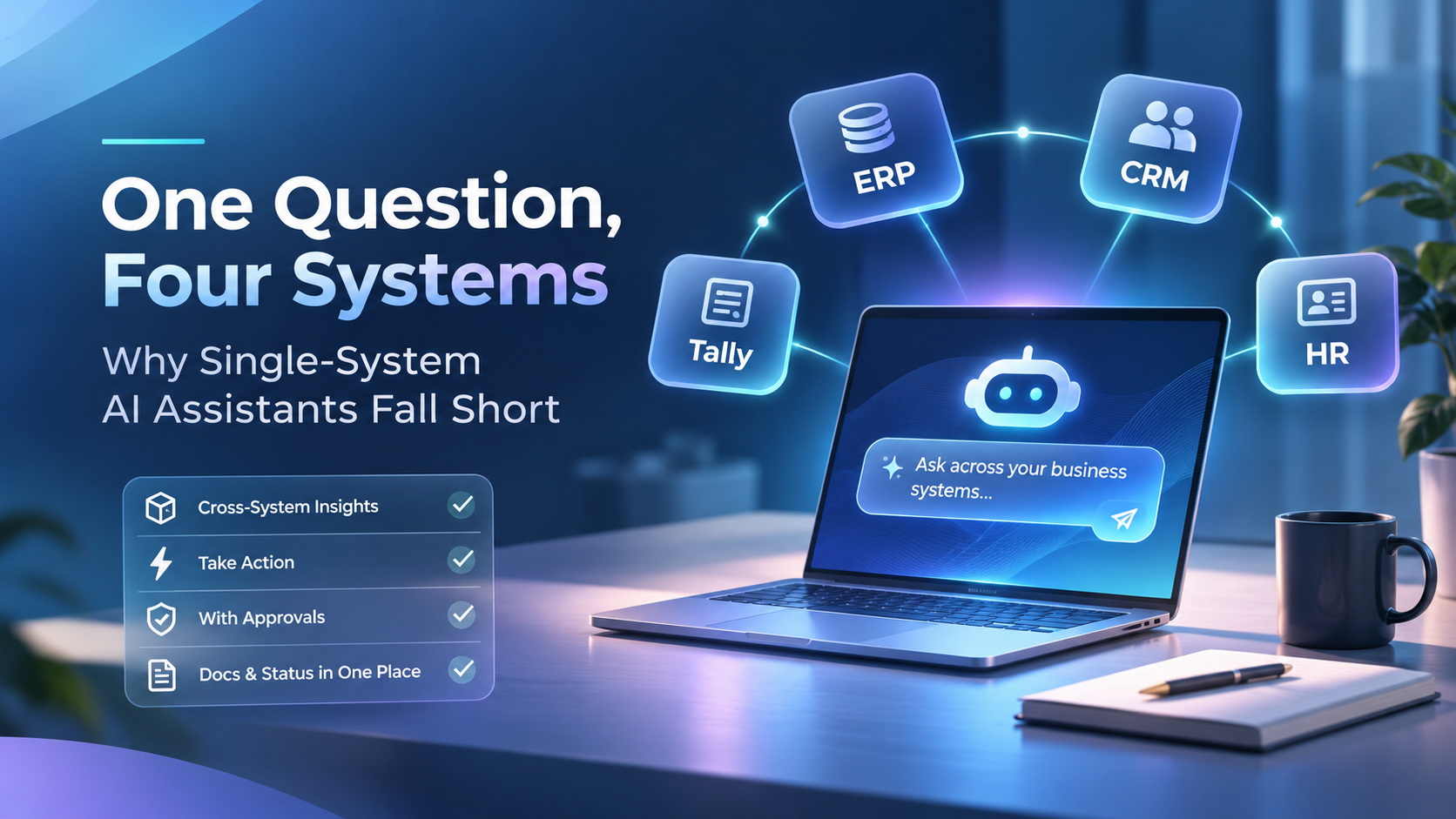
That’s the gap in many AI rollouts. Business data sits in many systems: ERP, accounting, CRM, HR, production and distribution. Most AI assistants on the market are built into just one of them, so they only see that one. The questions people actually ask cut across all of them.
This post looks at why single-system assistants fall short, what a unified conversational layer looks like, and how it can handle approvals, reconciliation, documents and status reporting with people still in control. It also shares what we’ve built at Aykan.
The Reality: Business Data Lives in Many Systems
A typical mid-sized manufacturer runs a mix like this:
• SAP or a custom-built ERP for core operations
• Tally for subsidiary or branch books
• Salesforce or another CRM for customers and opportunities
• An HRMS for people data
• A production system (MES) for the shop floor
• A distributor management system for the channel
• SharePoint for documents
Real questions don’t respect those boundaries. The sales question above needs CRM, ERP, distribution and MES data together. Vendor copilots answer well inside their own walls, but they stop at the edge of their own system.
Two more realities make it harder:
• Many small and mid-sized businesses run custom-built or regional ERPs, such as Tally or a homegrown system, that have no AI assistant at all.
• Some companies can’t send data to the cloud at all, because of policy, sensitivity or because core systems have no internet connectivity.
The kinds of questions that get stuck
Here are some questions that cross system boundaries (illustrative examples built from the systems above):
• Sales and distribution: Which distributors are low on SKU X, and do we have open orders against it? (CRM, ERP and the distributor management system)
• Operations: Can production cover those open orders next week? (ERP and MES)
• Finance: Which overdue receivables belong to customers we’re still shipping to? (Tally or the ERP, plus order data)
• People and production: Is the right team in place for next week’s production plan? (HRMS and MES)
• Documents: What did we agree in the contract behind this order? (SharePoint plus the ERP)
None of these is exotic. They’re the questions people ask every week, and each one needs more than one system to answer.
Five Ways Single-System Assistants Fall Short
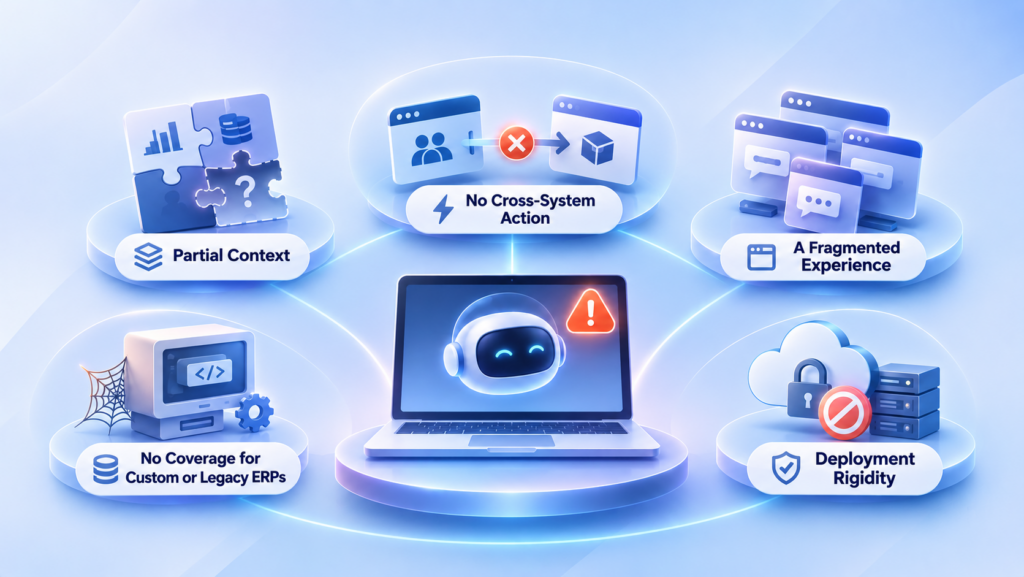
1. Partial context
Each assistant sees one slice of the business. Ask it anything that touches a second system and you get a partial answer, which leaves the user to fill the gaps by hand.
In practice:
• A CRM assistant can tell you about the opportunity but not whether the stock exists.
• An ERP assistant can list open orders but knows nothing about a distributor’s inventory.
• A production assistant, where one exists, can describe capacity but not which customers are waiting.
Each answer is correct inside its own walls and incomplete for the person asking. The deeper problem is that the gaps aren’t obvious. A confident answer from one system can sound complete while missing the other half of the picture, so decisions can end up resting on a partial view. And the user becomes the integration layer, carrying results from one window to the next and reconciling them in their head.
Why it matters: the questions leaders care about most, such as stock, orders, capacity and cash, are the ones that cut across systems. Partial context hurts exactly where accuracy matters most.
2. No cross-system action
Answering is only half the job. Creating an order in the ERP from a CRM opportunity needs both systems. An assistant that lives in one of them can describe the next step but can’t complete it.
Take a won deal in the CRM:
1. Someone reads the opportunity in the CRM.
2. Someone creates the matching order in the ERP.
3. Someone checks that what was ordered matches what was sold.
An assistant limited to the CRM can’t write to the ERP, and one limited to the ERP can’t read the opportunity. So each assistant can describe its own step, but a person still has to carry the information across, usually by copy and paste.
Quotations show the same pattern. Taking a customer enquiry through to a quotation and a sales order touches both the CRM and the ERP, and any single-system assistant stops at the boundary. That’s why we built the Commercial-to-Order agent to work across both.
Why it matters: an assistant that can only answer leaves the slow part of the work, the hand-offs between systems, exactly where it was.
3. A fragmented experience
When every system ships its own assistant, users end up switching between several chat windows with different interfaces, each knowing a different part of the story.
Picture the same head of sales with one assistant in the CRM, another in the ERP, a third in the HR system and a fourth in the production system:
• She has to remember which one knows what.
• Each expects questions phrased differently and shows answers differently.
• Yesterday’s answer lives in one window, and today’s follow-up belongs in another.
• Nobody sees the whole conversation, so context is lost every time she switches.
The more systems a company runs, the more windows it multiplies. Each new window is another tool to learn and another place to look. A single conversational layer, in the tools people already use, removes that overhead.
3. No coverage for custom or legacy ERPs
The assistants that exist are mostly built for the big vendor platforms. Businesses on custom-built or regional ERPs are left with no AI assistant at all.
Many small and mid-sized businesses run on custom-built or regional ERPs, including Tally and homegrown systems:
• Vendor copilots are built for their own platforms, so a custom ERP sits outside their scope.
• The ERP may be the one system everyone depends on, holding years of business-specific data.
• With no assistant, even simple questions need someone who knows where to look.
Canara Springs is a good example. We built their custom ERP and have supported it across 14 branches for over six years. It’s a typical SMB ERP with no vendor AI assistant.
Because MCP is an open standard, a system doesn’t need a vendor assistant to join the conversation. It needs a connector.
4. Deployment rigidity
Most assistants are cloud-only. If your policy, your data sensitivity or your network rules out the cloud, there is often no on-premises or offline option.
Some organizations can’t send data outside the building. The reasons vary:
• Policy: the company’s own rules about where data may go.
• Sensitivity: the data is too sensitive to leave company systems.
• Connectivity: core systems have no internet connection at all.
For these companies, a cloud-only assistant isn’t a limitation to work around. It’s a non-starter. They need an assistant that can run on their own hardware, which is why we’re scoping a self-hosted, offline ERP assistant for a packaging manufacturer whose systems aren’t connected to the internet.
What the five have in common
Every shortfall traces back to the same design choice: building the assistant inside one system. It can only see what that system holds, can only act where that system allows, comes with its own interface and works only where that system is supported and deployed. The fix isn’t a smarter assistant in each system. It’s one layer that sits across all of them, which is what the next section describes.
What a Unified Approach Looks Like
The alternative is one conversational layer over all your systems, rather than one assistant per system. In practice, that means:
- One layer, many systems: each system is connected through a standard connector using MCP (Model Context Protocol), the emerging open standard for connecting AI to business systems.
- Role-based access: users only see the data they’re entitled to in the source systems.
- Approval workflows: anything that writes data or triggers an action goes through an approval step.
- Model choice: cloud models such as Azure AI Foundry, Claude or GPT, or self-hosted open-weight models for fully offline deployments.
- Meet users where they work: Microsoft 365 Copilot and Teams, a ChatGPT-style web interface, or Claude and ChatGPT directly.
- Beyond Q&A: answers in natural language, follow-up questions, charts generated on the fly, and agents that complete multi-step tasks.
Go back to the head of sales. With one layer over CRM, ERP, distribution and production, her question gets one answer, in one place, and she can keep asking follow-ups.
Following one question through the layer
Here is how the sales question would travel through a unified setup (a simplified, illustrative walk-through):
- She asks in a tool she already uses, such as Teams, a ChatGPT-style web interface, or Claude or ChatGPT directly.
- The conversational layer works out which systems hold the answer: the CRM, the ERP, the distributor management system and the production system.
- Each system is reached through its MCP connector, and each request respects what she’s entitled to see in that system.
- The answer comes back in natural language, pulling the pieces into one response, with a chart if it helps.
- She asks a follow-up, such as which of those distributors have the largest open orders, and the conversation continues without starting over.
- If she asks the assistant to do something, like creating an order, the action goes through an approval workflow before anything is written.
Choosing where the assistant runs
There are two deployment paths, and the right one depends on your policy, the sensitivity of your data and the connectivity of your systems:
- Cloud models: Azure AI Foundry, Claude or GPT, for organizations that can use the cloud.
- Self-hosted open-weight models: running on your own hardware, for fully offline deployments where data can’t leave the premises or systems aren’t connected to the internet.
The aim is the same either way: one conversational layer, connected systems and people in control.
Where It Pays Off: Four Everyday Jobs
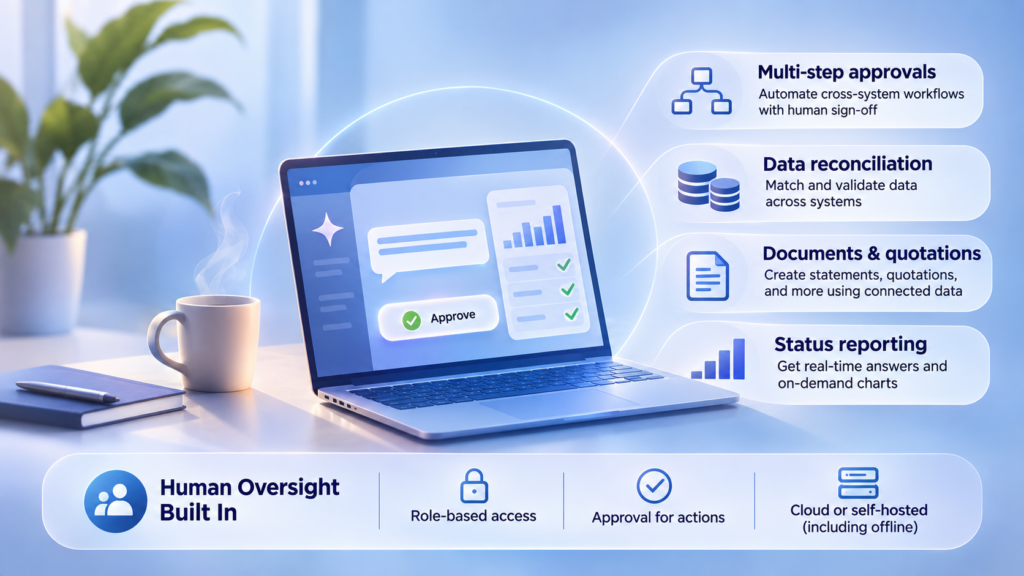
Multi-step approvals, with people in control
Multi-step work crosses systems, and the steps that change data are exactly where a person should sign off. In a unified setup, anything that writes data or triggers an action goes through an approval workflow. Aykan’s Commercial-to-Order agent shows the pattern: it takes a customer enquiry through to a quotation and a sales order in SAP, pulling from CRM and ERP along the way.
What it looks like: a customer enquiry comes in. The agent pulls what it needs from the CRM and ERP along the way, prepares the quotation and carries it through to a sales order in SAP. The steps that write data wait for a person’s approval.
Data reconciliation across books and systems
Reconciliation is where partial context hurts most. Our Tally + AI Accountant Co-Pilot connects Tally Prime to AI through an MCP server, and its use cases include bank-statement-to-books reconciliation triage and a Section 43B(h) MSME payment compliance sweep. In the Pavanje environment (more below), Claude queries SAP, Tally, the HRMS and the distributor system in a single conversation.
What it looks like: an accountant working in Tally Prime asks the Co-Pilot to triage a bank statement against the books. It surfaces what lines up and what doesn’t, so the accountant’s time goes to the exceptions. The Section 43B(h) sweep works the same way: the agent reviews MSME payments for compliance and flags what needs attention.
Documents and quotations
Documents in SharePoint sit alongside the data in your other systems, so they can be part of the same conversation. The Accountant Co-Pilot can turn a trial balance into financial statements for CAs, and the Commercial-to-Order agent carries an enquiry through to a quotation. For a deeper look at quotations across systems, see our QDB work, which connects email, a customer portal, a supplier portal and Infor ERP.
What it looks like: a CA needs financial statements. Instead of building them by hand from a trial balance, they ask the Co-Pilot to turn the trial balance into statements, then review the output.
Status reporting that doesn’t need a meeting
Because one layer can see every connected system, status questions become ordinary questions. Answers come back in natural language, follow-up questions work, and charts are generated on the fly. A collections agent in the Accountant Co-Pilot goes a step further and chases overdue receivables.
What it looks like (illustrative): a manager asks a question, gets an answer, then narrows it with follow-ups like “only the northern distributors” or “show that as a chart”. There’s no new report request and no waiting for someone to pull data from several systems.
Recommended Blog: Why SharePoint Modernization is Critical for Enterprise Growth in 2026
Business Impact
When the assistant sees the whole business rather than one system, the benefits show up in six places. Here’s what each one means in practice.
7.1 Complete answers instead of fragments
A question that spans systems gets one answer that draws on all of them. Nobody has to open the CRM, then the ERP, then the distributor system and stitch the results together by hand. The bigger gain is confidence: decisions about stock, orders, capacity and cash rest on the whole picture rather than on whichever slice one assistant could see.
7.2 One interface instead of many
People ask in the tools they already use, such as Microsoft 365 Copilot and Teams, a ChatGPT-style web interface, or Claude and ChatGPT directly. There’s one place to ask, one way of asking and one conversation to follow up in, so yesterday’s answer and today’s follow-up live together. Fewer windows also means fewer tools to learn.
7.3 Action, not just answers
Agents complete multi-step tasks across systems. A customer enquiry can be taken through to a quotation and a sales order in SAP, pulling from the CRM and ERP along the way. In the Accountant Co-Pilot, a collections agent chases overdue receivables and reconciliation triage surfaces the exceptions, so accountants spend their time on the items that need judgment. Because anything that writes data or triggers an action goes through an approval workflow, speed doesn’t come at the cost of control.
7.4 Coverage for the ERPs vendors skip
Custom-built, regional and legacy systems, including Tally and homegrown ERPs, can have an assistant too. Each is connected through a standard MCP connector, so it doesn’t need a vendor assistant and the system doesn’t need replacing. For a business like Canara Springs, whose custom ERP has no vendor AI assistant, a connector is a route to AI assistance that vendor copilots don’t offer.
7.5 Deployment that fits your policies
Companies that can’t send data to the cloud, because of policy, sensitivity or no internet connectivity, aren’t left out. Self-hosted open-weight models run on the customer’s own hardware for fully offline deployments, with a ChatGPT-style interface and natural-language queries across the ERP and other systems. Companies that can use the cloud can choose models such as Azure AI Foundry, Claude or GPT. You choose the model and where it runs, rather than having the vendor choose for you.
7.6 Governed access and approvals
Role-based access means people only see the data they’re entitled to in the source systems, so connecting systems doesn’t widen who can see what. Approval workflows put a person in front of anything that writes data or triggers an action. For IT and leadership, that means one layer to govern instead of many separate assistants, each with its own rules.
Benefits by team:
Different teams feel the benefits in different ways:
- Finance and accounts: turn a trial balance into financial statements for CAs, chase overdue receivables with a collections agent, sweep MSME payments for Section 43B(h) compliance and triage bank-statement-to-books reconciliation. Less time goes on manual matching, and more on the exceptions.
- Sales and distribution: carry an enquiry through to a quotation and sales order, and answer distributor questions alongside open orders, without switching between the CRM, the ERP and the distributor management system.
- Operations and production: get capacity questions answered next to orders and stock, so planning conversations start from one shared view.
- People and HR: HRMS data can sit in the same conversation as everything else. The Pavanje environment queries the HRMS alongside SAP, Tally and the distributor system, so questions that mix people and production don’t need a separate lookup.
- Leadership: one assistant to ask for answers that cut across the business, with follow-ups and charts generated on the fly.
- IT: one conversational layer to govern, with role-based access, approval workflows and a choice of cloud or offline deployment, instead of many assistants each with their own rules.
Conclusion
Single-system assistants answer well inside their own walls, but your business doesn’t live inside one wall. Real questions cut across the ERP, accounting, CRM, HR, production and distribution, and an assistant that sees one slice will always give partial answers, can’t act across systems and leaves people juggling windows. It also leaves out the custom and legacy ERPs many businesses run on, and the companies that can’t use the cloud.
A unified conversational layer closes that gap. It connects each system through MCP, respects role-based access, puts approvals in front of anything that writes data, lets you choose cloud or fully offline models, and meets people in the tools they already use. Beyond Q&A, it handles follow-ups, charts and multi-step tasks.
That’s the real bridge between ERP and conversational AI: one assistant that sees the whole business, does the legwork, and leaves the decisions to your people.
FAQs
1. Why do single-system AI assistants fall short? Each one sees only the system it’s built into. Real business questions span several systems, so a single-system assistant gives partial answers, can’t take action across systems and leaves users switching between chat windows.
2. What is MCP (Model Context Protocol)? MCP is the emerging open standard for connecting AI to business systems. Each system is connected through a standard connector, so one conversational layer can work across all of them.
3. Can this work with Tally or a custom-built ERP? Yes. Many SMBs run custom-built or regional ERPs, such as Tally or a homegrown system, that have no AI assistant of their own. Our Tally + AI Accountant Co-Pilot connects Tally Prime to AI through an MCP server.
4. Can it run without sending data to the cloud? Yes. For companies that can’t use the cloud, the assistant can use self-hosted open-weight models on the customer’s own hardware, for fully offline deployments. We’re currently scoping one for a packaging manufacturer whose systems aren’t connected to the internet.
5. How do you keep people in control? Users only see data they’re entitled to in the source systems, and anything that writes data or triggers an action goes through an approval workflow.
6. Which AI models can it use? Cloud models such as Azure AI Foundry, Claude or GPT, or self-hosted open-weight models for fully offline deployments.
7. Where do people use the assistant? Where they already work: Microsoft 365 Copilot and Teams, a ChatGPT-style web interface, or Claude and ChatGPT directly.
8. Can I see a working example? Yes. Book a demo of the Pavanje environment to see one assistant working across SAP, Tally, CRM and HR.
9. Can the assistant take action, or only answer questions? Both. Beyond natural-language answers, it supports agents that complete multi-step tasks across systems, such as taking a customer enquiry through to a quotation and sales order in SAP. Anything that writes data or triggers an action goes through an approval workflow.
10. Do we need to replace our existing systems? No. Each existing system is connected through a standard MCP connector, so the assistant works across the systems you already run, including custom-built ERPs.
11. What kinds of questions can it answer? Questions that span systems, such as which distributors are low on a SKU, whether there are open orders against it and whether production has capacity next week. It answers in natural language, supports follow-up questions and can generate charts on the fly.