
Introduction
Modernizing legacy software is rarely as simple as replacing old technology with a newer framework. While the goal may sound straightforward, the reality is much more complex.
Legacy applications often represent years, or even decades, of business evolution. Every new feature, customer request, bug fix, and regulatory change adds another layer of business logic to the system. Over time, these applications become the backbone of an organization, supporting critical operations that employees and customers depend on every day.
The challenge isn’t just rewriting code. It’s preserving years of business knowledge while introducing modern technology without disrupting daily operations. This is where many modernization projects struggle. Teams often underestimate the complexity hidden inside legacy systems, leading to delays, budget overruns, and unexpected risks.
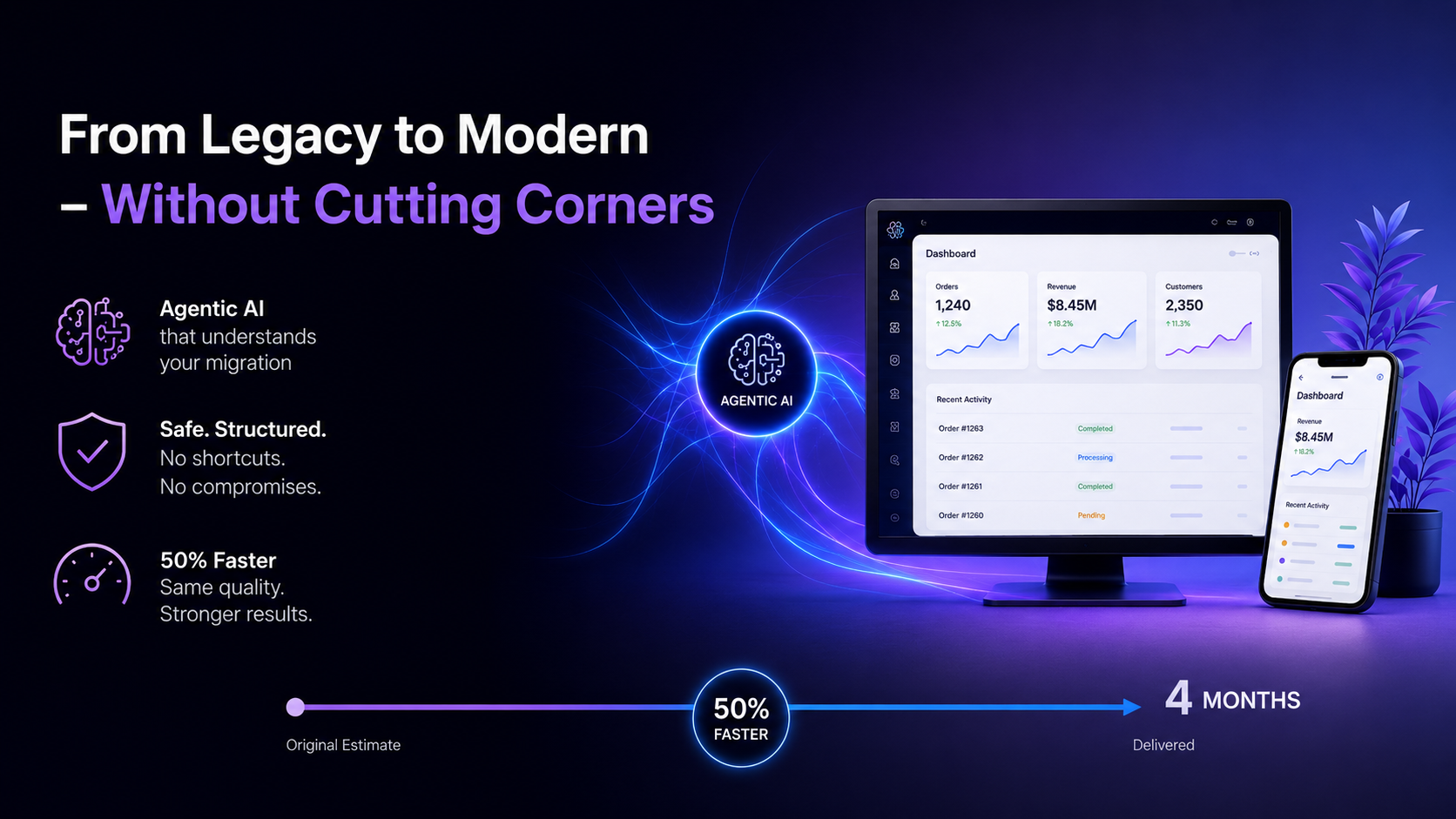
In this article, we’ll share how we modernized a 656-page ASP.NET WebForms application, reduced the estimated timeline from eight months to four months, and achieved it without compromising quality or business continuity. More importantly, we’ll explain why the success wasn’t simply because we used AI, it was because we used AI strategically.
The Challenge
The application we worked on wasn’t just an old website; it was a business-critical platform that had evolved over many years.
It consisted of 656 ASP.NET WebForms pages, each containing years of accumulated business rules, validations, integrations, and workflows. Many of these rules weren’t documented anywhere; they simply existed in the code because they had been refined through years of real-world use.
One module, for example, contained an invoicing engine with over 6,600 lines of VB.NET code. This wasn’t just a large block of code; it managed complex scenarios such as advance billing, prorated invoices, mixed billing cycles, customer-specific pricing, tax calculations, and multiple financial validations. These business rules had been tested and refined in production over many years, making them both highly valuable and extremely sensitive to change.
Any mistake during the migration could have had consequences far beyond a software bug. A single error in billing logic could delay or generate incorrect invoices, interrupt the company’s revenue stream, and create significant operational issues. More importantly, it could erode customer trust and damage the brand’s reputation, something that often takes years to build but only moments to lose.
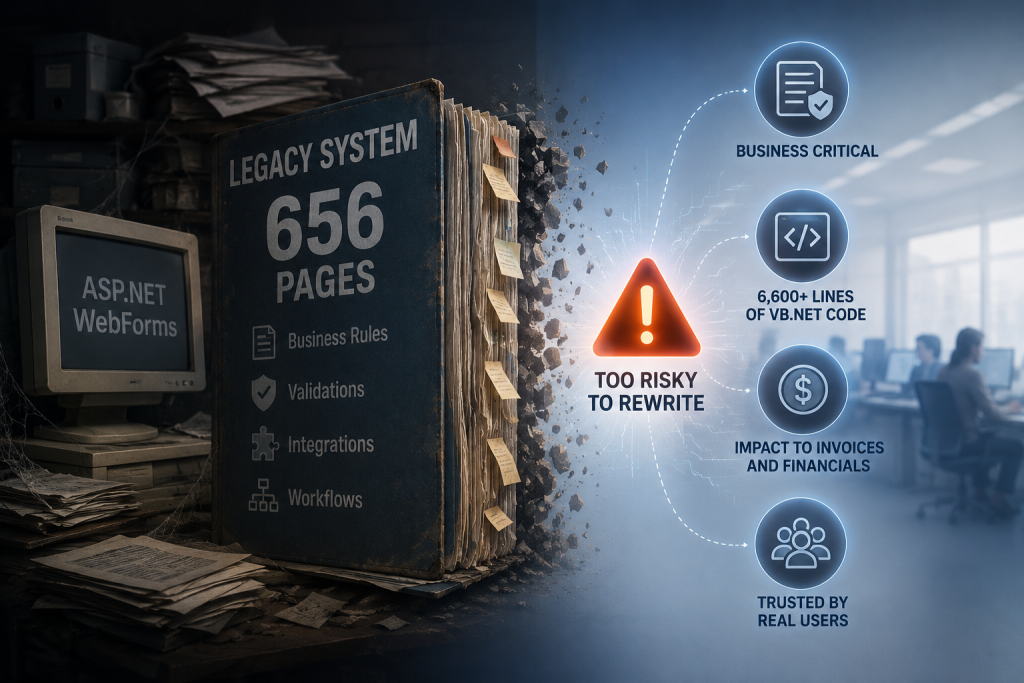
For this reason, a complete rewrite wasn’t a viable option. Starting from scratch would have meant recreating years of proven business logic while introducing unnecessary risk. The real challenge wasn’t simply modernizing the technology; it was preserving every critical business process, ensuring financial accuracy, and maintaining customer confidence while moving the application to a modern platform.
Our Approach
Instead of replacing the entire application at once, we adopted the Strangler Fig migration strategy. Think of it like renovating a house. You don’t demolish the entire building if people are still living in it. Instead, you renovate one room at a time while the rest of the house continues to function.
We applied the same principle to the application. The trusted VB.NET backend remained exactly as it was because it already contained years of reliable business logic. Instead of rebuilding it, we focused on modernizing the user interface.
Each WebForms page was gradually replaced with a React 19 component. Throughout the migration, the old and new interfaces ran side by side within the same application. Users could continue working normally while features were modernized incrementally. This approach reduced risk, simplified testing, and ensured that business operations continued without interruption.
Where AI Made the Difference
That redistribution of effort, not automated code generation alone, is what ultimately enabled the team to deliver the migration in 4 months instead of the original 8-month estimate, while maintaining the same quality standards without taking shortcuts.
4 Ways AI Accelerated the Migration
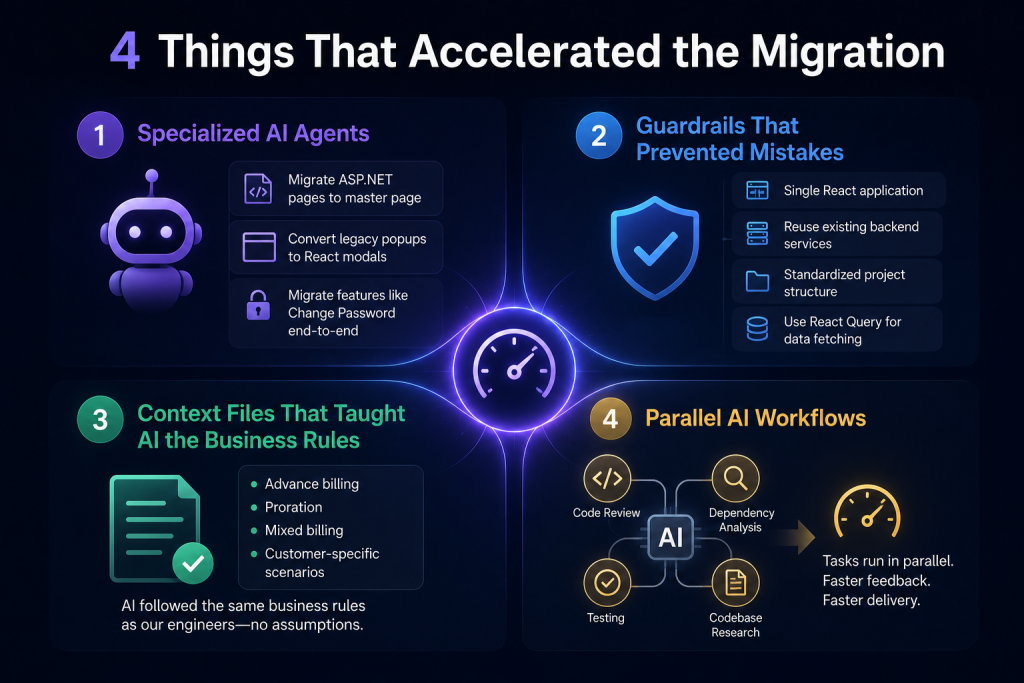
1. Specialized AI Agents
Rather than relying on a general AI assistant, we built specialized AI agents for specific migration tasks.
Each agent understood a particular part of the migration process and applied the same standards consistently across hundreds of pages.
For example:
- One agent migrated ASP.NET pages to use a shared master page.
- Another converted legacy popup windows into modern React modals.
- Another migrated entire features such as “Change Password” across the frontend, backend, and JavaScript layers.
Because these agents were purpose-built, they eliminated repetitive work while maintaining consistency throughout the project.
2. Guardrails That Prevented Mistakes
AI is powerful, but without guidance it can generate inconsistent solutions.
To avoid this, we created architectural guardrails that every AI agent had to follow.
For example:
- Always use a single React application.
- Reuse existing backend services instead of creating unnecessary APIs.
- Follow a standardized project structure.
- Use React Query for data fetching instead of introducing new patterns.
These guardrails ensured that every migrated feature followed the same architecture, reducing technical debt and preventing costly rework.
One of our biggest lessons was simple:
Preventing mistakes is often more valuable than generating more code.
3. Context Files That Taught AI the Business Rules
AI is only as effective as the information it receives. While it can analyze code and generate solutions, it cannot automatically understand years of business knowledge hidden within a legacy application. Our system included complex processes, particularly around billing that involved advance billing, proration, mixed billing cycles, and customer-specific pricing rules. These weren’t patterns AI could accurately infer from the code alone.
To bridge this gap, we created detailed context files that documented how each business process worked. Whenever AI worked on a feature, it first referenced these documents to understand the underlying business rules before generating any code. This ensured that AI produced solutions aligned with the application’s existing behavior, reducing assumptions, improving consistency, and helping preserve critical business logic throughout the migration.
4. Parallel AI Workflows
In a traditional development process, tasks such as coding, reviewing, testing, and researching dependencies typically happen one after another, creating delays as teams wait for each stage to finish. To accelerate the migration, we adopted a parallel AI workflow. Instead of relying on a single AI assistant, multiple specialized AI agents worked simultaneously on different tasks. While one agent reviewed newly generated code, another analyzed dependencies, another executed tests, and another researched related components within the codebase.
By running these activities in parallel, we dramatically reduced waiting time between development stages, provided faster feedback to engineers, and maintained high code quality. This parallel approach became one of the key reasons we were able to complete the migration in half the estimated time without compromising reliability.
The Results: Delivering in Half the Time
But the biggest success wasn’t simply delivering faster.
The migration also:
- Preserved years of proven business logic.
- Allowed users to continue working without disruption.
- Reduced migration risk through incremental releases.
- Created a modern frontend that is easier to maintain and extend.
Rather than rebuilding the entire application, the organization now has a strong foundation for future modernization.
Why Human Expertise Still Mattered
One of the biggest misconceptions about AI is that it replaces software engineers.
This project proved the opposite.
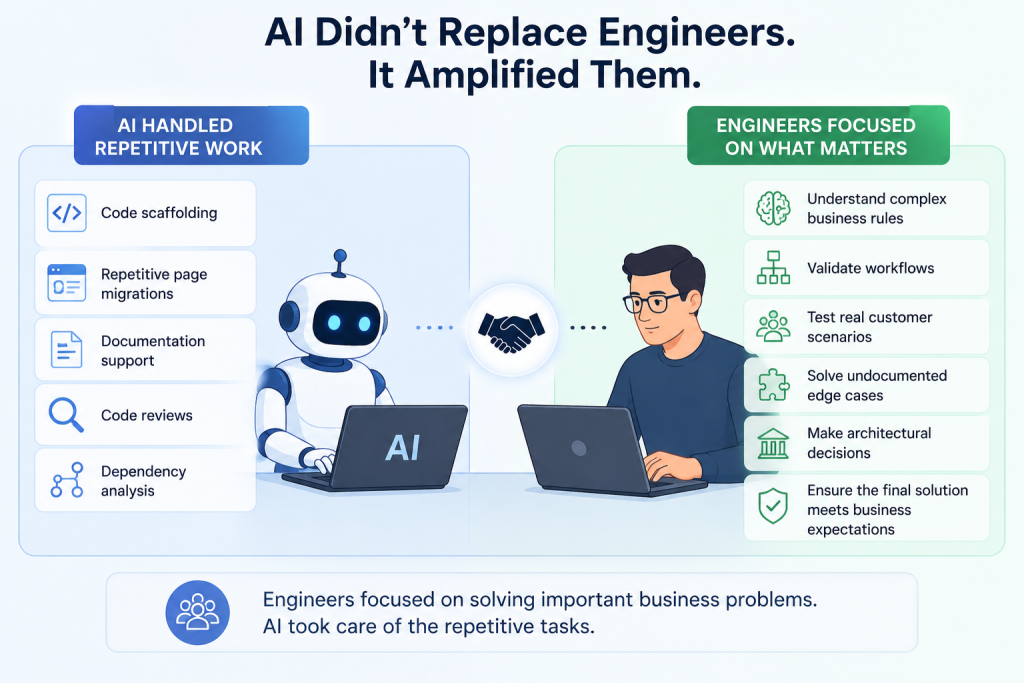
AI handled repetitive engineering work, including:
- Code scaffolding
- Repetitive page migrations
- Documentation support
- Code reviews
- Dependency analysis
Our engineers remained responsible for everything that required judgment.
They:
- Understood complex business rules.
- Validated workflows.
- Tested real customer scenarios.
- Solved undocumented edge cases.
- Made architectural decisions.
- Ensured the final solution met business expectations.
The productivity gain came from allowing engineers to spend more time solving important business problems instead of repeating manual tasks.
Conclusion
Modernizing a legacy application is about much more than upgrading technology, it’s about preserving years of business knowledge while preparing for the future. Our experience showed that Agentic AI delivers the greatest value when it’s used to automate repetitive engineering tasks, allowing developers to focus on business logic, architecture, and critical decision-making.
By combining specialized AI agents, architectural guardrails, context-rich documentation, and parallel AI workflows, we successfully reduced the migration timeline from eight months to four without compromising quality or stability. The biggest lesson is simple: AI doesn’t replace engineers, it empowers them to build faster, smarter, and with greater confidence.
FAQ's
1. What is Agentic AI?
Agentic AI uses specialized AI agents to automate specific engineering tasks, helping teams deliver software faster and more consistently.
2. Why didn’t you rebuild the application from scratch?
A complete rewrite would have been risky. We used the Strangler Fig approach to modernize the application gradually while keeping the existing backend stable.
3. How did AI speed up the migration?
AI automated repetitive tasks like code migration, documentation, and code reviews, allowing engineers to focus on business logic and architecture.
4. Why were context files important?
Context files documented complex business rules, enabling AI to generate accurate code based on real business requirements instead of assumptions.
5. Did AI replace the development team?
No. AI supported developers by handling repetitive work, while engineers remained responsible for business decisions, testing, and ensuring the application’s quality and reliability.